Resolution time is the metric that matters most to customers. We break down five practical strategies that support teams can implement today, from unified inboxes to SLA tracking, that consistently cut resolution times in half.
Ask your customers what matters most about their support experience and the answer is almost always the same: speed. Not flashy self-service portals. Not chatbot greetings. Just solve my problem quickly.
Resolution time (the total elapsed time from when a customer reports an issue to when it's fixed) is the single most impactful metric your support team can improve. Here are five strategies that consistently cut it in half.
1. Unify Your Inbox
If your team manages SMS in one tool, email in another, and has a separate dashboard for tickets, you're losing time on every single interaction. Context switching between tools adds minutes per ticket, and minutes compound into hours across a full day.
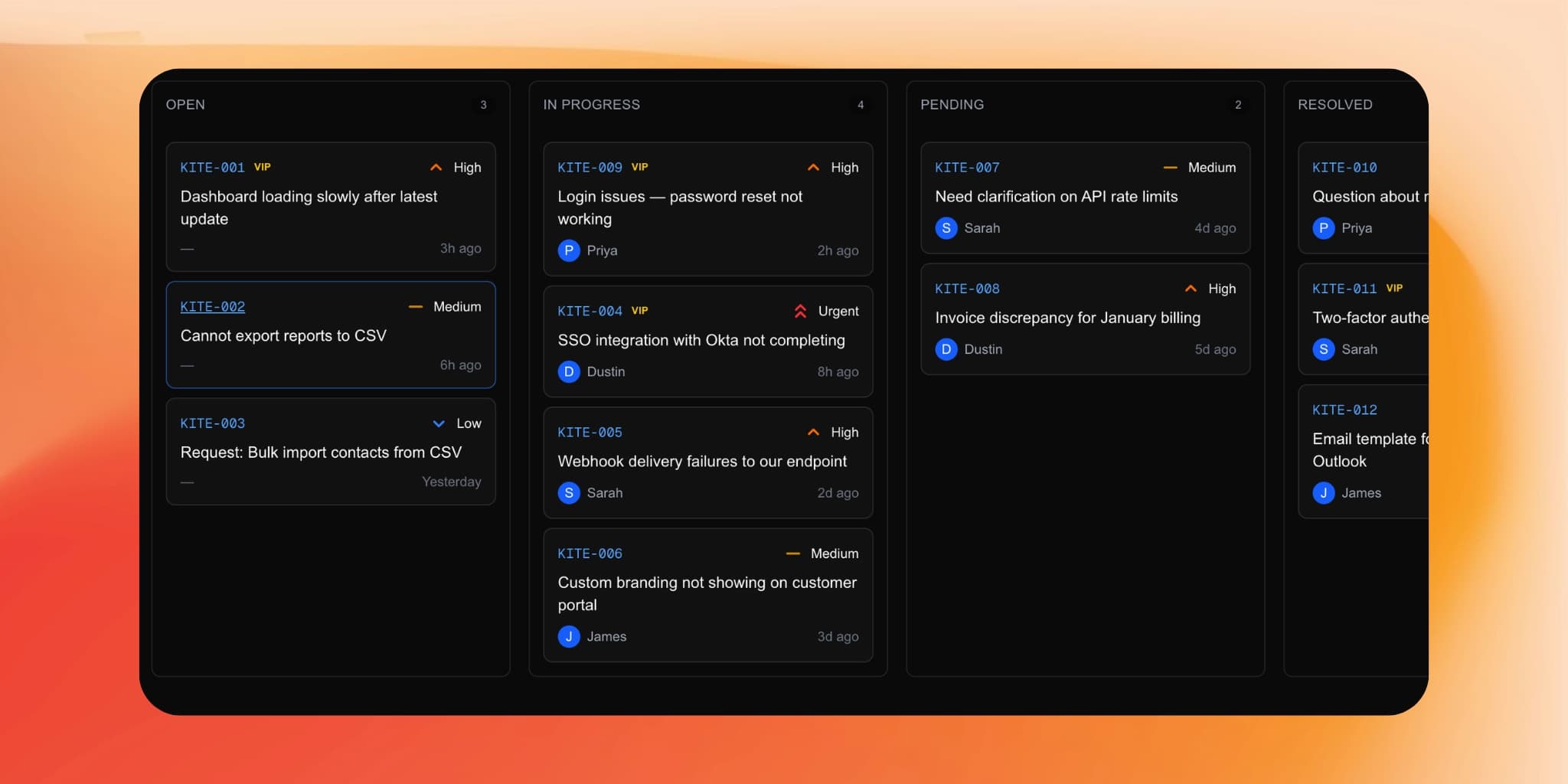
A unified inbox puts every conversation, regardless of channel, into a single view. When an agent picks up a ticket, they see the complete history: the initial SMS, the follow-up email with a screenshot, and the internal notes from a colleague. No searching. No tab switching. No "let me pull up your other message."
The impact: Teams that consolidate from multi-tool setups into a unified inbox typically see a 15-25% reduction in average handle time. The improvement comes not from working faster, but from eliminating the dead time between productive actions.
How to implement it: Choose a platform that natively supports your channels rather than bolting integrations together. Native support means conversations thread correctly across channels. A customer who texts you and then follows up by email should see both in the same conversation, and so should your agent.
2. Automate Ticket Intake
The gap between "customer sent a message" and "an agent is working on the problem" is where most resolution time hides. That gap includes:
- Reading and categorizing the message
- Extracting relevant details (device, OS, error codes)
- Assigning priority
- Routing to the right agent or team
If a human handles these steps, they take two to five minutes per ticket. If AI handles them, they take seconds.
The impact: Automated intake doesn't just save the two to five minutes of processing time. It eliminates the queue time that follows. When tickets are correctly prioritized and routed immediately, high-urgency issues reach agents in seconds instead of sitting in a general queue for twenty minutes while someone triages them.
How to implement it: Look for AI that goes beyond keyword matching. Modern AI reads the full context of a message. It understands that "my whole team is locked out" is more urgent than "I forgot my password," even though both mention authentication. The best systems extract structured data (device, OS, application, error codes) automatically and populate ticket fields without agent intervention.
3. Enable Multi-Channel Communication
Customers don't always respond on the channel they started with. Someone who emails you a detailed bug report might prefer to text quick follow-ups. If your system forces them to stick with email for the entire conversation, you'll wait hours for responses that could have taken seconds over SMS.
Letting customers and agents move fluidly between channels keeps conversations moving. A quick clarifying question over text gets an instant answer. A detailed explanation with screenshots goes through email. Both appear in the same thread.
The impact: Multi-channel flexibility reduces the back-and-forth cycle time dramatically. Instead of three email exchanges over six hours (customer emails, waits, agent responds, waits, customer clarifies, waits), you get a five-minute text exchange that resolves the same clarification.
How to implement it: The key is threading. Every message, regardless of channel, needs to attach to the same conversation. Without this, agents lose context when a customer switches channels, and you're back to square one.
4. Track SLAs and Escalate Automatically
Every support team has service level agreements, even informal ones. The problem isn't having SLAs. It's knowing when you're about to miss one.
Manual SLA tracking means someone periodically reviews the queue and flags aging tickets. By the time they notice a ticket approaching its deadline, there might not be enough time to resolve it.
Automatic SLA tracking monitors every ticket in real time and triggers escalation before deadlines pass, not after. A ticket approaching its one-hour response SLA gets bumped in the queue and flagged for the next available agent. A ticket approaching its four-hour resolution SLA gets escalated to a senior agent or team lead.
The impact: SLA breach rates drop by 40-60% when tracking and escalation are automatic. More importantly, the tickets that do approach their deadlines get resolved through escalation rather than failing silently.
How to implement it: Set SLA rules based on priority levels. High-priority tickets might have a 15-minute first response and a 2-hour resolution target. Normal tickets might have a 1-hour response and 8-hour resolution. Configure warnings at 75% of each deadline to give agents time to act.
5. Build and Use a Knowledge Base
The fastest resolution is the one where an agent already knows the answer. The second fastest is when they can find it quickly without asking a colleague.
A well-maintained internal knowledge base eliminates the "let me check on that" delays that inflate resolution time. When a known issue comes in, the agent searches, finds the documented solution, and resolves the ticket. No hunting through old conversations, no Slack threads asking "has anyone seen this before?"
The impact: Knowledge base usage correlates with 30-40% faster resolution for recurring issue types. The first time a new issue appears, resolution is slow. But if you document the solution, every subsequent occurrence is fast.
How to implement it: Start small. After every resolution, ask: "Would this solution help someone else?" If yes, document it. Don't aim for a comprehensive knowledge base on day one. Build it incrementally from real tickets. Tag articles by category and product so agents can find them through search rather than browsing.
The Compounding Effect
These five strategies don't just add up. They multiply. A unified inbox makes multi-channel communication possible. Automated intake makes SLA tracking accurate. A knowledge base makes automated routing smarter over time.
The teams that see the biggest improvements don't implement one strategy in isolation. They build a system where each piece reinforces the others. The result isn't incremental. It's transformative. Tickets that used to take four hours to resolve start closing in under one.
Resolution time isn't just a metric. It's the clearest signal of whether your support operation is designed for your team's convenience or your customer's experience. Every minute you cut is a minute your customer gets back.